How to Update PS2 BIOS for PCSX2 and Real Hardware (2026 Guide)
You’ve spent 20 minutes setting up PCSX2; loaded up your favorite game; it hangs on the boot-up screen, just like always. You’ve messed around with all sorts of graphics settings, changed plugins, and reset the emulator. Yet still, nothing happens.
The BIOS file is usually the last thing people check when they’re trying to get their games working. This tiny little piece of firmware buried in a folder is usually the very cause of the problem, from games not loading, to bad audio, to the game crashing before even getting to the title screen. Here’s how to upgrade your PS2 BIOS.
What "Updating" Actually Means for PS2 BIOS
This is something that is often overlooked by many guides. Unlike today’s gaming systems, which have firmware updates regularly rolled out by the manufacturer, there were no official firmware updates ever released for the PlayStation 2.
When a person mentions a PS2 BIOS update, this can refer to two totally different things. One involves updating the BIOS file in an emulator such as the PCSX2, while the other involves reflashing the chip in the console itself because of some form of corruption or damage. This guide covers both clearly and separately.
How to Update PS2 BIOS on PCSX2 (Step by Step)
This is by far the most frequent situation. In this instance, you are running PCSX2 on Windows, Mac, or Linux and you need to get or update your BIOS dump.
Step 1: Getting a Legally Acquired BIOS Dump
The legally correct way to go about it is dumping your BIOS directly from your PS2 machine. This process makes use of a utility known as biosdrain that runs via Free McBoot on your PS2 machine. Here are the files that get dumped:
- A main binary file named something like scph70012.bin
- Supporting files with .rom and .erom extensions
- An NVM file containing region and language settings
All of these files belong in the same BIOS folder. Do not move them separately.
For a complete breakdown of obtaining and placing your BIOS correctly, visit our [ps2 bios download] page.
Step 2: Locate the BIOS Folder in PCSX2
Launch PCSX2 and then navigate to Settings. Navigate to the BIOS part, and then the folder path will be as follows:
- Windows: Documents/PCSX2/bios
- Linux and MacOS: Home/.config/PCSX2/bios
Alternatively, you could configure the folder path in settings. In case you are uncertain about the folder path that PCSX2 uses, you may refer to the path displayed on the BIOS settings page.
Step 3: Move Your New BIOS Files Into the Folder
Copy all dumped files into the BIOS folder. Do not rename them. These file names are used internally by the PCSX2 program, and modifying them may lead to incorrect recognition of the files. In case you have a different BIOS file already on the hard drive, do not delete it. It is perfectly fine to have several BIOS files in one directory.
Step 4: Refresh the BIOS List and Select the New Version
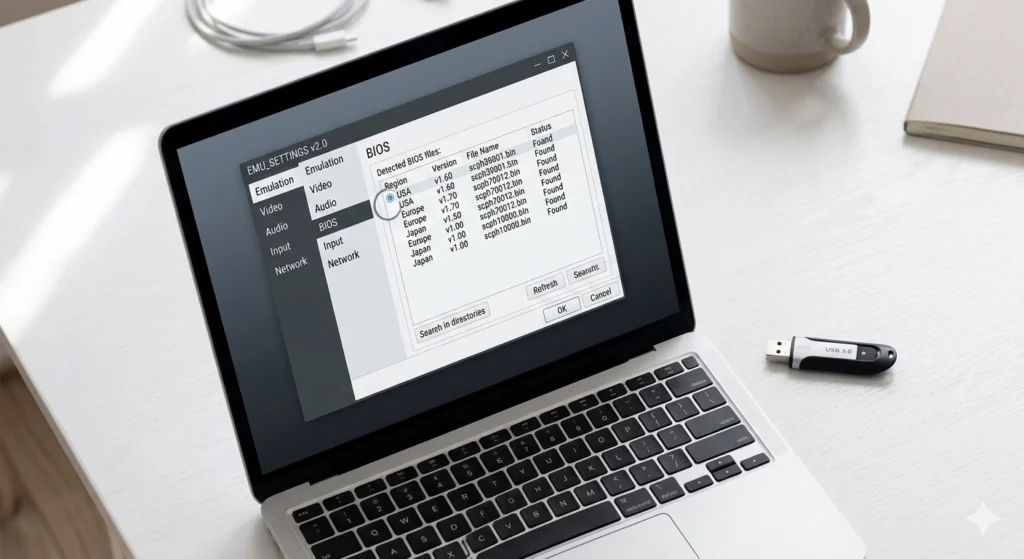
Back in PCSX2 settings, click “Refresh List.” Your new BIOS file should appear in the list with its region (USA, Europe, Japan) and version number displayed.
Select the new version. For most players, a USA BIOS at v1.90 or v2.00 from the SCPH-70012 model is the strongest choice for broad compatibility. Click Apply or Finish to save the selection.
Step 5: Test With a Game
Load a PS2 game and watch the boot sequence. If the PlayStation 2 startup animation plays cleanly and the game reaches the title screen, your update worked. If you still hit issues, check that the BIOS region matches the game’s region.
For detailed configuration help beyond the BIOS itself, our How to Install PS2 BIOS page covers the full setup process.
Update PS2 BIOS on AetherSX2 (Android)
The process on AetherSX2 mirrors PCSX2 closely. After dumping your BIOS using biosdrain, transfer the files to your Android device and place them in the folder AetherSX2 designates during setup.
Open AetherSX2, go to Settings, then BIOS. Point the emulator to your BIOS folder and select the correct version. The USA BIOS from SCPH-70012 running v1.90 or v2.00 performs best on Android for most game libraries.
BIOS Version Quick Reference Table
Emulator | Recommended BIOS | Region | Version |
PCSX2 (Windows/macOS/Linux) | SCPH-70012 | USA (NTSC-U) | v1.90 or v2.00 |
PCSX2 (Japanese games) | SCPH-30000 | Japan (NTSC-J) | v1.60 to v1.90 |
PCSX2 (European games) | SCPH-90004 | Europe (PAL) | v1.90 or v2.00 |
AetherSX2 (Android) | SCPH-70012 | USA (NTSC-U) | v1.90 or v2.00 |
How to Update PS2 BIOS on a Real PS2 Console
This applies only if you own a physical PS2 and are dealing with a corrupted or damaged BIOS chip. This process is significantly more advanced than the emulator version.
Critical note: The PS2 uses mask ROM chips in most models. Mask ROM cannot be re-flashed electronically. If the chip itself is physically damaged, hardware replacement is the only solution.
What You Actually Need
- A chip programmer device
- A working PS2 BIOS image file from the correct model
- Soldering equipment, including a hot air rework station
- The motherboard pinout diagram for your specific PS2 model number
- A replacement BIOS chip if the original is beyond recovery
The Process in Brief
The BIOS chip resides on the motherboard, identified as IC505 on most fat PS2 consoles. You will need to take out the BIOS chip from the motherboard with a hot air station, flash a new BIOS chip, and then solder it back onto the motherboard.
This process involves electronics knowledge. A single slip-up while soldering could ruin your motherboard. If you lack confidence in handling circuit boards, you should get someone to do the repairs for you.
Emulator players can skip this section.
Common Errors After a PS2 BIOS Update and What to Fix
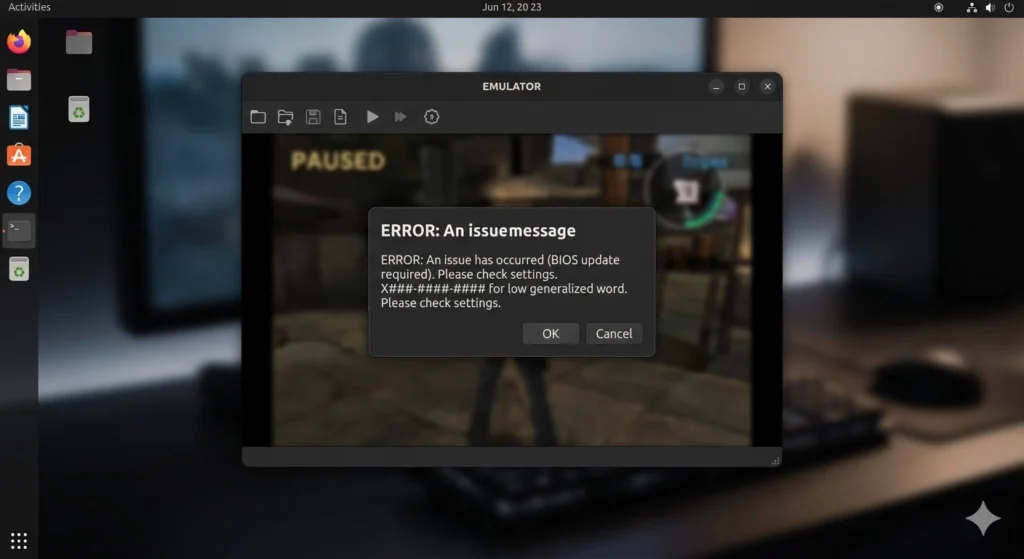
PCSX2 does not detect the new BIOS file. The BIOS folder path may not match what PCSX2 is reading. Open Settings, check the BIOS folder path, and ensure all dumped files, including .rom and .erom extensions, are present in that exact location. Then click Refresh List.
The game still crashes after updating
Confirm the BIOS region matches your game's region. A USA BIOS running a PAL game will sometimes cause timing issues or boot failures. Switch to the matching regional BIOS for that specific game.
BIOS shows in the list, but the version number looks wrong
File corruption during transfer is the likely cause. Re-dump from your console or re-transfer the files. Check that none of the files were renamed during the move.
Startup animation plays, but the game does not load
This is usually a game compatibility issue rather than a BIOS problem. Try switching between v1.90 and v2.00. Some older titles respond better to earlier BIOS versions.
Why You Would Need to Update PS2 BIOS
Before touching anything, it helps to know whether you actually need to do this.
Signs your BIOS file is the problem:
- Games boot to a black screen despite correct ISO files
- Audio cuts out or sounds completely wrong during startup
- PCSX2 throws a “BIOS not found” or “invalid BIOS” error
- Specific games crash immediately, while others run fine
- You recently changed regions or switched game libraries
If any of these match your situation, updating or replacing your BIOS file will likely fix it. If your games were running fine until a recent PCSX2 update, the issue may be emulator settings rather than the BIOS itself.
Keeping Multiple BIOS Versions Ready
One of the most practical habits for serious emulation is storing multiple BIOS files at once. PCSX2 and AetherSX2 both support multiple files in the same BIOS folder. You switch between them in settings without reinstalling anything.
This matters because your game library likely spans regions. A Japanese RPG released in 2001 behaves differently under an NTSC-J v1.60 BIOS than under a USA v2.00 BIOS. Having both available means you troubleshoot by switching, not by downloading.
Explore which versions work best for specific game types on our which PS2 BIOS to use guide, and find the top-rated titles worth testing on our Best PS2 Games page.
Final Word on PS2 BIOS Update
The PS2 BIOS update process is straightforward once you understand what it actually involves. On PCSX2, it is simply a matter of dumping, placing, and selecting the right file. On real hardware, it is a more involved repair process reserved for damaged consoles.
Most players only ever need the emulator process. Dump your BIOS legally from a PS2 you own, place all files in the correct folder, select the right version for your game region, and you are done.
If you need help with a specific error or want the full setup process from scratch, our How to Install PS2 BIOS page covers every detail.
Frequently Asked Questions
Can I update my PS2 BIOS without a physical PS2 console?
No. The only legitimate way of getting your hands on a PS2 BIOS is dumping the BIOS from your own PS2 console. There are no Sony-provided downloads for PS2 BIOS files; using other BIOS dumps is illegal. For this purpose, the biosdrain program available via Free McBoot can be easily employed.
Does updating the BIOS in PCSX2 delete my saved game data?
No. The save data in your PCSX2 game is kept in a different memory card file (.ps2 format). Your save data will not be affected by the replacement of the BIOS files.
How do I know which BIOS version I currently have in PCSX2?
Launch PCSX2, click on Settings, and then select BIOS from the list of tabs. The version and region are shown next to each BIOS file listed. An example would be “USA v02.00,” which clearly shows both the region and the version.
Will a newer BIOS version always perform better than an older one?
Not necessarily. The 2.00 version will yield the best performance in most cases for emulation and later PS2 games. Some games released between 2000 to 2002, however, may be more accurately emulated using the 1.60 or 1.70 version due to their compatibility with the hardware used to develop the games.
Can I use a Japanese BIOS to play American games?
Yes, because region locking is not applicable on PCSX2. However, there will be some problems when the BIOS used does not match the region of the game, such as inaccurate language display on system startup, timing errors, and difficulty booting games on certain old consoles.
What file types does a PS2 BIOS dump include?
A complete dump produces several files. The main binary carries a name like scph70012.bin. Supporting files use .rom0, .rom1, and .erom extensions. There is also an NVM file that stores region and language preferences. All of these files must sit together in the same BIOS folder for PCSX2 to read them correctly.